
Trial and full version: buying and restoring a purchase
AzitSplit is installed for free from the Microsoft Store. You try it with the trial first, then switch to the full version.
Trial
- Make up to 10 Shorts with every feature, no card required.
- One is used each time a video is made.
- No watermark is added to your videos.
- The number left is shown at the top as "Trial · N left".

Full version
Make as many Shorts as you like. The features are exactly the same as the trial.
- Monthly: renews every month, cancel anytime
- Lifetime: pay once and keep using it, free updates
Each license works on one PC. Videos and settings you made in the trial carry over to the full version.
How to buy
- Click [Buy] at the top right. You can also click the trial indicator at the top, or open [License] → "Buy · restore purchase".
- Choose Monthly or Lifetime. Prices are shown in your country's currency.
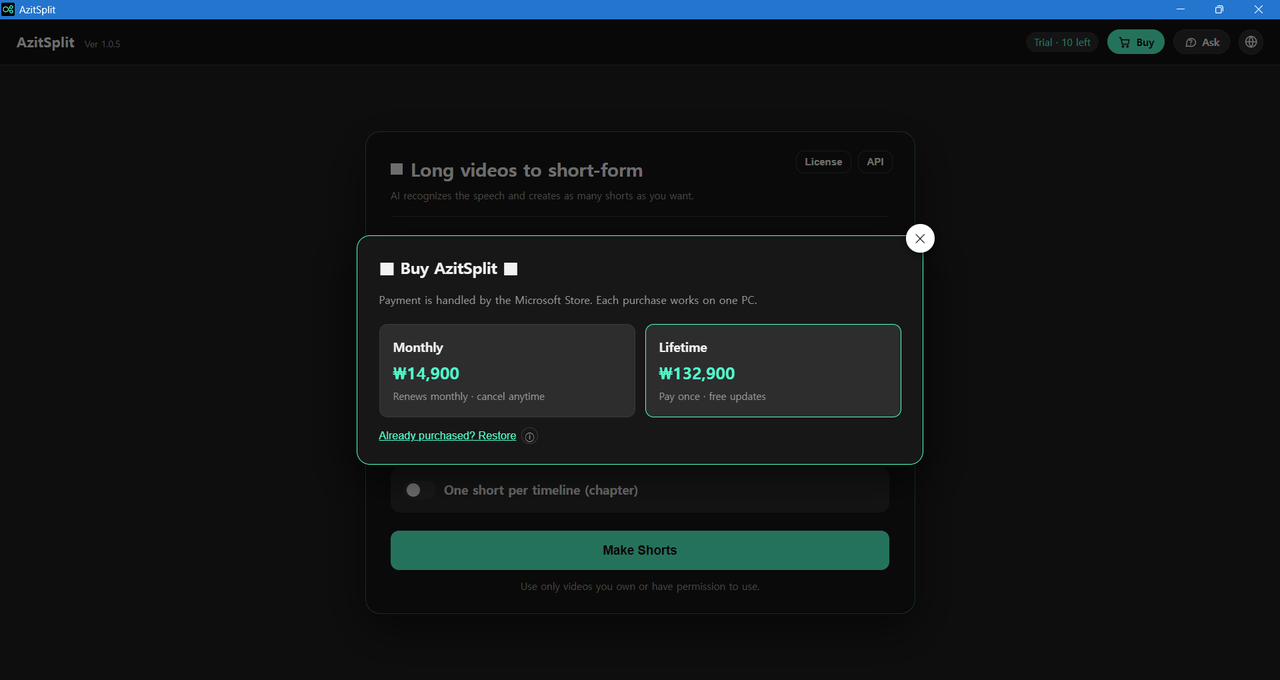
- Complete the payment in the Microsoft Store payment window. If a Microsoft account sign-in window appears, sign in with the account you want to buy with.
- When you see "Purchase confirmed", the app switches to the full version right away. The trial indicator and the [Buy] button disappear.

Payments and refunds are handled by the Microsoft Store and follow the Microsoft Store refund policy. You can cancel a monthly subscription under "Services & subscriptions" in your Microsoft account (account.microsoft.com/services).
Restore a purchase
Click [Already purchased? Restore] in the purchase window when:
- you reinstalled the app on the same PC
- you paid but the app didn't switch to the full version
- a monthly renewal isn't reflected
After a reinstall, the app also checks once automatically when it starts. You must be signed in to the Store with the Microsoft account you bought with.
If you have a license key
If you received a license key (AZITSPLIT-XXXXXXXX-XXXXX) from a reseller, paste it into the [License] window and click [Register]. When you see "Registered", you're done.
To move to another PC, see When you change PCs.
AzitSplit listens to a long video on your PC and splits it into several Shorts with subtitles and titles. Make up to 10 for free with the trial.
Learn more about AzitSplit