
Getting started
Getting started with AzitSplit: Install
AzitSplit is installed for free from the Microsoft Store. Once it's installed, you can start using the trial right away.
What you need
- A Windows 10 or 11 (64-bit) PC
- 5GB or more of free space: for the app, the speech recognition model and the videos you make.
- An internet connection: used for AI sentence selection and license checks.
- An NVIDIA graphics card makes speech recognition much faster. It works without one, but takes longer.
Install from the AzitSplit website
- Go to the AzitSplit website.
- Click "Get it free on Microsoft Store". The buttons in the pricing section (Trial, Monthly, Lifetime) do the same.
- When the Microsoft Store download window opens, click [Download]. Run the downloaded "AzitSplit Installer.exe" and the installation continues.
Install from the Microsoft Store app in Windows
- Open Microsoft Store from the taskbar or the Start menu.
- Type AzitSplit into the search box at the top.
- Click [Get] (Install).
- When it finishes, click [Open].
After installing, you can find AzitSplit in the Start menu. When a new version comes out, the Microsoft Store updates it automatically, and your videos and settings stay as they are.
The first time you open it
- A start screen with the AzitSplit logo appears. Click it once to continue.
- The Terms of Use window appears, only the first time. Read it, check "I agree to the Terms of Use above." and click [Agree and start].
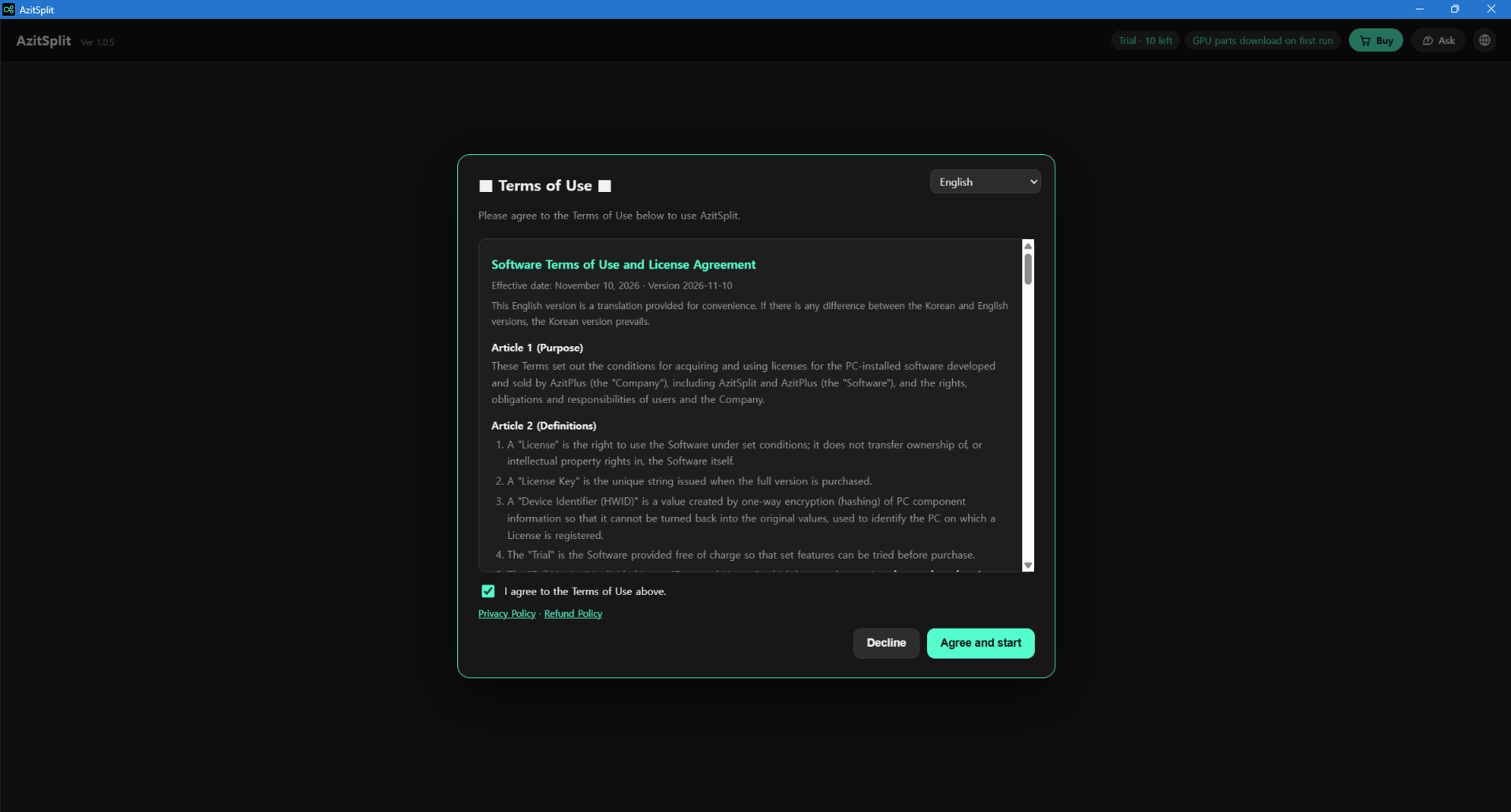
Clicking [Decline] closes the app. You can read the terms again later from [License] → "View Terms of Use".
After you agree, the start screen appears. Next, register the key used for the AI features: continue with Getting started with AzitSplit: Register your API key.
Turn your long videos into Shorts
AzitSplit listens to a long video on your PC and splits it into several Shorts with subtitles and titles. Make up to 10 for free with the trial.
Learn more about AzitSplit